


Book Style Box Packaging Guide
Jul 28, 2026

Premium Packaging Solutions

Retail & Food Bags
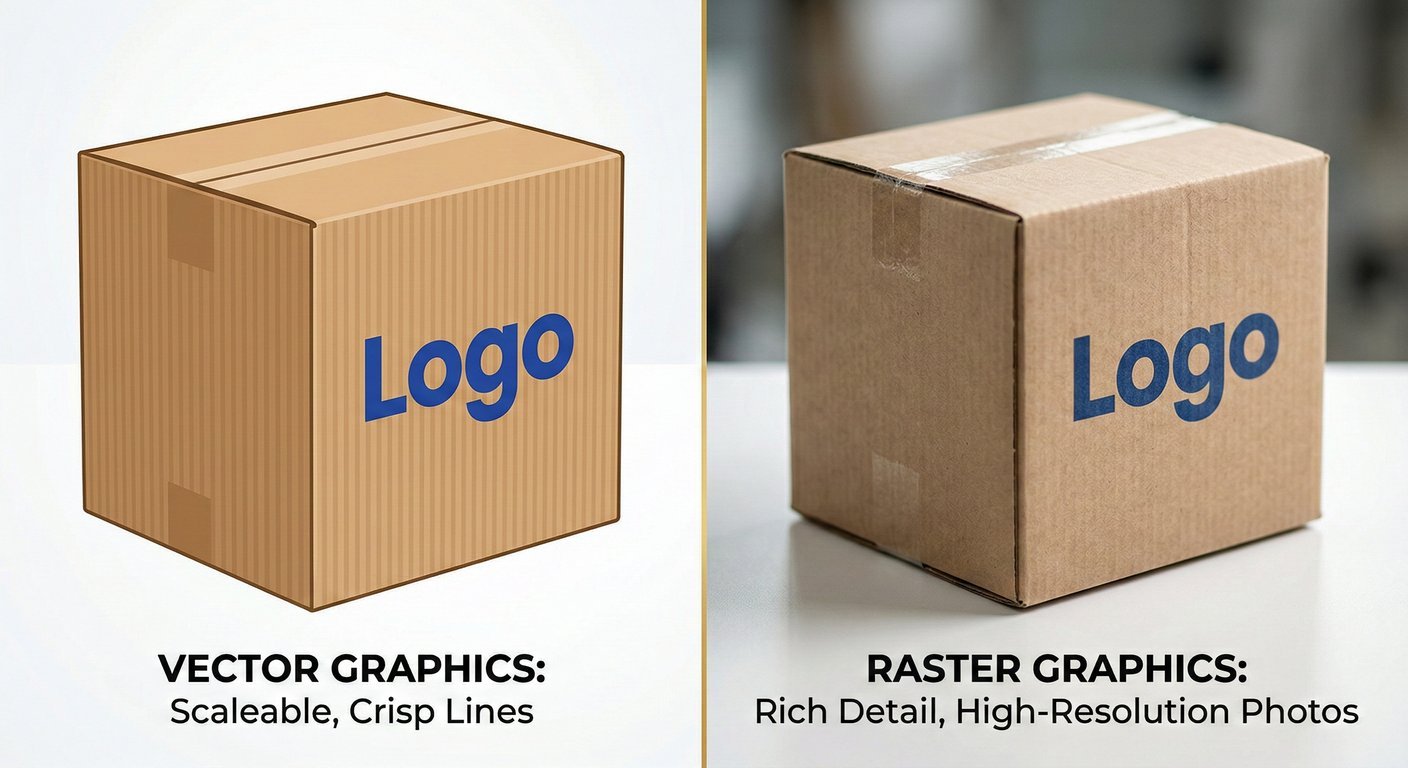
Nothing is more frustrating than finalizing a beautiful packaging design on screen, only to have the final printed boxes look pixelated, blurry, or distorted. This common pre-press nightmare almost always stems from a fundamental misunderstanding of file formats. To guarantee crisp, professional, and visually striking custom packaging, brand owners and designers must thoroughly understand the rules of Vector vs Raster Graphics. By mastering these two distinct digital image categories, you can ensure your logos remain sharp, your photographs print clearly, and your production process runs without costly delays.
To make the best choices for your packaging files, it is essential to understand the underlying mechanics of how these two graphic types are constructed.
Vector Graphics are essentially mathematical equations translated into visual forms. Instead of using a grid of colored squares, vector files use 2D points connected by lines and curves to create polygons and other shapes. Because they are based on algorithms, vectors can be scaled infinitely without any loss of quality. Whether you are printing a tiny label for a lip balm or a massive billboard, the edges of a vector graphic will remain razor-sharp. Standard vector file extensions include .ai (Adobe Illustrator), .eps, and .svg.
Raster Graphics, on the other hand, are resolution-dependent images made up of a complex grid of tiny colored squares known as pixels. Every photograph you take with a camera is a raster image. When you zoom in on a raster image, you will eventually see the individual jagged squares. If a raster image is enlarged beyond its original dimensions, it forces the software to guess how to fill in the missing data, resulting in a blurry, pixelated mess. The clarity of these images relies heavily on image resolution, which is measured in DPI (Dots Per Inch) or PPI (Pixels Per Inch) for printing purposes. Common raster file types include .jpeg, .png, .tiff, and .psd.